Command Line Interface
CACE can be run directly from your command line:
$ cace [<datasheet>] [<output>] [options]
Where <datasheet> is an input specification in YAML (*.yaml) and <output> is an optional file path under which the output datasheet is to be saved (useful for conversion into a newer format). If <datasheet> is not specified, CACE searches for a file with the same name as the current directory under cace/ with the file extension .yaml.
When run from the top level, this program parses the CACE characterization file, runs simulations for the specified parameters or all if none are given, and (optionally) outputs a modified file annotated with characterization results.
The option --source, restricts characterization to the specific netlist source, which is either schematic capture,
layout extracted, C parasitic extracted or full R-C parasitic extracted. If not specified, then characterization is run on the full R-C
parasitic extracted layout netlist if available, and the schematic captured netlist if not (option “best”).
positional arguments:
  datasheet             input specification datasheet (YAML)
  output                output specification datasheet (YAML), used to convert
                        a datasheet to a newer format

options:
  -h, --help            show this help message and exit
  --version             show program's version number and exit
  -j JOBS, --jobs JOBS  total number of jobs running in parallel
  -s {schematic,layout,pex,rcx,best}, --source {schematic,layout,pex,rcx,best}
                        choose the netlist source for characterization. By
                        default, or when using 'best', characterization is run
                        on the full R-C parasitic extracted netlist if the
                        layout is available, else on the schematic captured
                        netlist.
  -p PARAMETER [PARAMETER ...], --parameter PARAMETER [PARAMETER ...]
                        run simulations on only the named parameters, by
                        default run all parameters
  --parallel-parameters PARALLEL_PARAMETERS
                        the maximum number of parameters running in parallel
  -f, --force           force new regeneration of all netlists
  --max-runs MAX_RUNS   the maximum number of runs to keep in the "runs/"
  --run-path RUN_PATH   override the default "runs/" directory
                        folder, the oldest runs will be deleted
  --no-plot             do not generate any graphs
  -l {ALL,DEBUG,INFO,WARNING,ERROR}, --log-level {ALL,DEBUG,INFO,WARNING,ERROR}
                        set the log level for a more fine-grained output
  --sequential          runs simulations sequentially
  --no-progress-bar     do not display the progress bar
  --nofail              do not fail on any errors or failing parameters
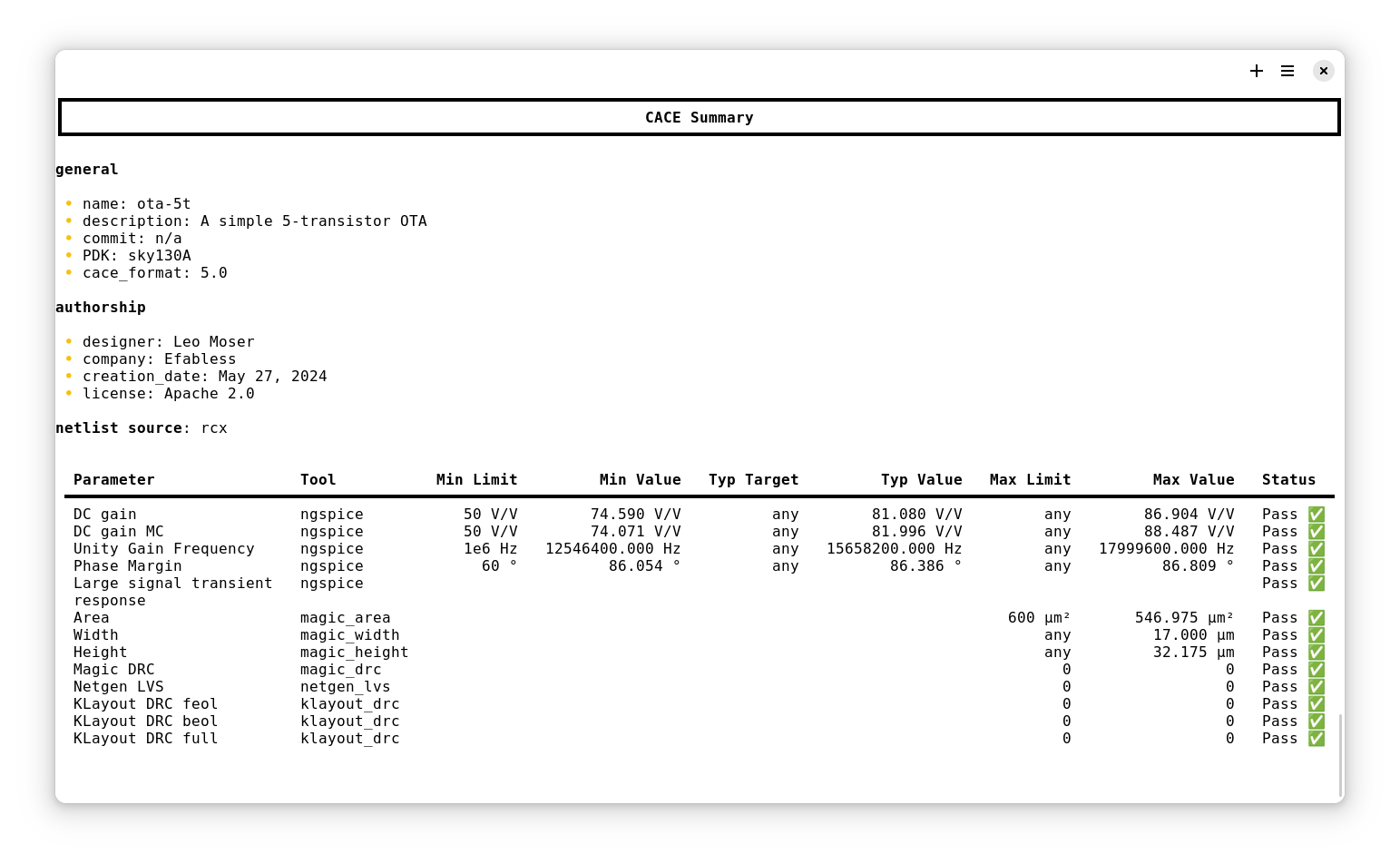
This is an example output of CACE running the characterization for a simple OTA: